Contract Extension
Step 1: Click Staff Changes, Extensions and Departures Form link from the Manager Self-Service Home page (or Employee Self-Service for delegates) in Nucleus

Note: Ensure pop-ups from this site are allowed as the form opens on another window.
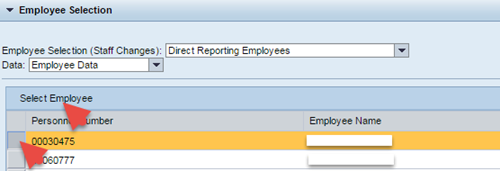
Step 2: Select the employee for whom the changes need to be made by selecting the employee’s row and clicking on the button Select Employee ( )
)
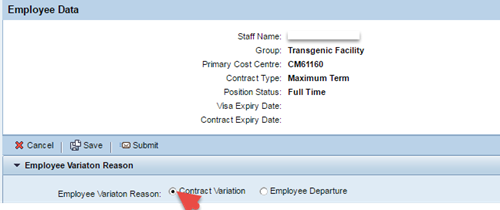
Step 3: Select Contract Variation radio button
Step 4: Select Contract Extension
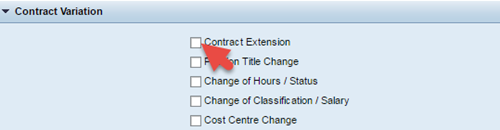
Select other options i.e. Position Title Change, Change of Hours / Status, Change of Classification / Salary and Cost Centre Change and fill in the relevant sections only if they are applicable.
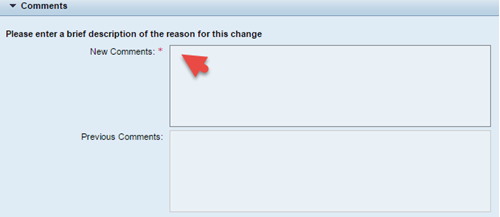
Step 5: Enter reason for the change in the New Comments field
Step 6: Enter the New Contract Expiry Date

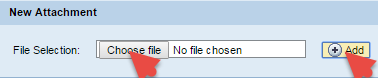
Step 7: Add any attachment if required by clicking Choose file and clicking Add
Step 8: Click Submit to send the form for approval
