Check or Delete Leave Application
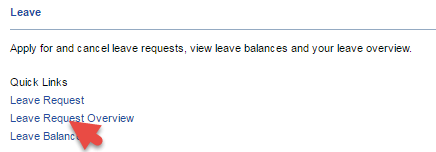
- Click on the link Leave Request Overview
2. View the Document Status column to check the status of your application

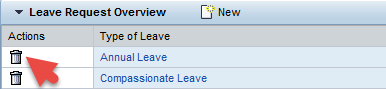
3. Click the Delete icon ( ) under the Actions column to delete a leave request
Note: All deleted leave requests will be sent to your line manager for approval.